40723151 cd2020 協同產品設計實習

  • Home
    • Site Map
    • reveal
    • blog
  • About
    • 組員名單
  • Develop
  • 期末報告
  • TOP 0 文章
    • 心得
  • 可攜系統
    • 安裝pip
    • SSH
  • WORK
    • Work1
      • webots設定
    • Work2
      • xelatex
    • Work3
      • OBS串流設定
    • Work4
      • 瞭解四輪機器人
    • Work5
      • VirtualBox
    • Work6
    • Work7
    • Work8
  • 問題解決
    • push衝突
可攜系統 << Previous Next >> SSH

安裝pip

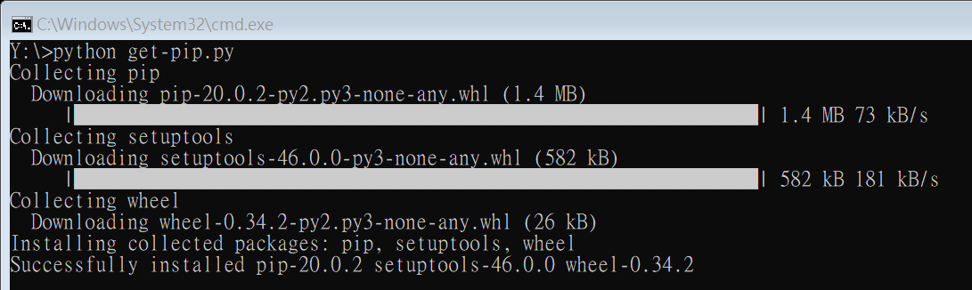
到https://bootstrap.pypa.io/get-pip.py頁面,滑鼠右鍵另存新檔到CD2020/data執行
1
python get-pip.py

安裝 CMSiMDE 所需模組

利用 pip 安裝 flask, bs4, lxml, pelican, markdown, flask_cors, leo (可單獨安裝區少的模組)

1
pip install flask bs4 lxml pelican markdown flask_cors leo

重新安裝Leo

解除安裝現有Leo(6.1版本)

1
pip uninstall leo

安裝Leo 6.2.1版本

1
pip install leo==6.2.1

可攜系統 << Previous Next >> SSH

Copyright © All rights reserved | This template is made with by Colorlib